

Open Google right now and search: “best bakery near me.”
What do you see? A map. Three business listings. Photos. Star ratings. Opening times. A button to call or get directions.
That box — those three listings — is worth more than most paid ads. It is the first thing a potential customer sees. And it costs absolutely nothing to be there.
It is called the Google Business Profile. And if you own a business in India and are not actively managing yours, you are handing customers directly to your competitors.
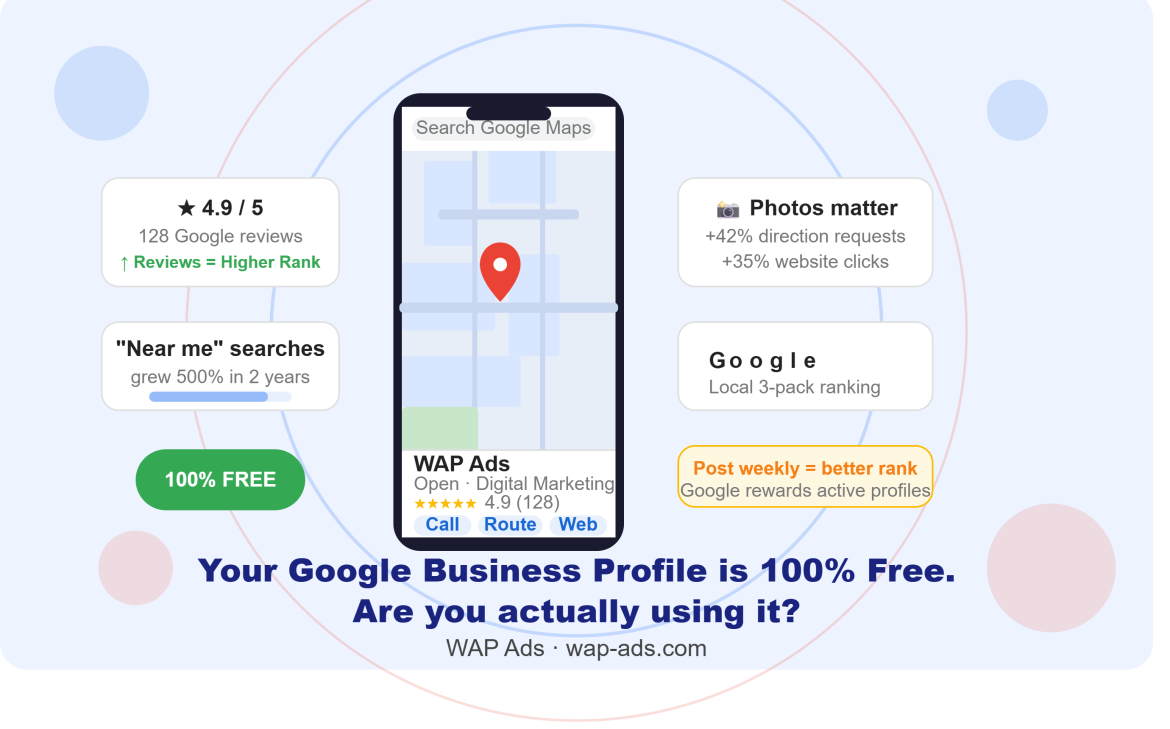
“Near me” searches have grown over 500% in the last two years. Most of those searches end with someone visiting a local business — usually within 24 hours.
The good news? Most businesses set up their Google Business Profile once and forget it. That means with a few simple improvements, you can jump ahead of them — without spending a single rupee on ads.
Here is exactly what to do.
First — What Is a Google Business Profile?
Google Business Profile (formerly called Google My Business) is your free business listing on Google. When someone searches for your business name or a category like “digital marketing agency in Manjeri” or “clinic near me”, your profile appears in:
- Google Search — as a knowledge panel on the right side
- Google Maps — as a pin and a listing on the map
- The local “3-pack” — the top three businesses Google shows for local searches
It shows your business name, address, phone number, website, opening hours, photos, reviews, and more — all in one place, for free.
Getting into the local 3-pack on Google is one of the most valuable things any local business can do. It consistently drives more enquiries than paid ads for most local searches.
Why Most Business Profiles Are Underperforming
Here is a surprising truth: the majority of businesses on Google Maps have incomplete, outdated, or ignored profiles. That is a massive opportunity for you.
Common mistakes we see every day:
- Wrong or missing phone number
- No photos — or photos taken five years ago
- Business hours that have never been updated
- Zero response to customer reviews
- No posts, no updates, no offers — the profile looks abandoned
- Wrong business category selected
Google rewards active, complete profiles with higher rankings. Every time you add a photo, post an update, or reply to a review, Google sees your business as alive and relevant — and pushes you higher in results.
7 Simple Fixes That Can Rank You Higher on Google Maps
Fix 1 — Complete Every Single Field
Go to your Google Business Profile and fill in all the details. Business name, category, description, phone number, website, address, and hours. Google gives preference to profiles that are 100% complete.
Pay special attention to your business description — write 2–3 sentences that naturally include what you do and where you are located. Example: “We are a digital marketing agency based in Manjeri, Malappuram, helping businesses across Kerala and the Gulf grow their online presence.”
Fix 2 — Choose the Right Primary Category
Your primary category is one of the biggest ranking factors on Google Maps. Do not just pick the most generic option. Be specific.
For example: instead of “Marketing Agency”, choose “Digital Marketing Agency”. Instead of “Hospital”, choose “Ayurvedic Hospital” or “Dental Clinic”. The more precise your category, the more likely Google is to show you for the right searches.
Fix 3 — Add at Least 10 High-Quality Photos
Businesses with photos receive 42% more direction requests and 35% more website clicks than those without. Yet most profiles have only one or two blurry images.
Add photos of:
- Your shopfront or office exterior (so customers recognise you)
- Your interior — make it look welcoming
- Your team at work
- Your products or services in action
- Happy customers (with their permission)
Add new photos every month. Profiles with regular photo updates get significantly more views than static ones.
Fix 4 — Post Weekly Updates
Google Business Profile has a “Posts” feature that almost nobody uses. You can publish updates, offers, events, and announcements directly on your Google listing — and they appear right there in Search and Maps.
Post once a week with:
- A new offer or promotion
- A recently completed project or a happy customer story
- A useful tip related to your industry
- A festival greeting with your services mentioned
Businesses that post regularly on Google are seen as active and trustworthy — both by Google’s algorithm and by potential customers who are comparing options.
Fix 5 — Get More Google Reviews (And Reply to Every One)
Reviews are arguably the single most important ranking factor in local search. More reviews, more stars, more recent reviews — all push you higher in Google Maps.
How to get more reviews without being awkward about it:
- After completing a job or sale, send a WhatsApp message: “Thank you for choosing us! If you are happy with our service, a quick Google review would mean a lot — here is the link “
- Create a QR code that links directly to your Google Review page and display it at your counter or on your business card
- Add a review link in your email signature
Reply to every review — including the bad ones. A business that responds to all reviews demonstrates professionalism and builds trust with potential customers reading them.
Fix 6 — Add Your Products or Services
Under the Products or Services section, list everything you offer with clear names, descriptions, and prices where possible. This helps Google understand exactly what your business does — and surfaces your profile for more specific search queries.
A dental clinic that lists “Teeth Whitening”, “Braces”, and “Root Canal Treatment” separately will appear for all three of those specific searches, not just “dental clinic”.
Fix 7 — Keep Your Hours Accurate
This sounds obvious, but it is one of the most common problems. Outdated hours cause customers to show up when you are closed — and they leave a bad review, or worse, never come back.
Update your hours for public holidays, Eid, Onam, Christmas, and any special closures. Google lets you set “special hours” for specific dates so your regular hours stay intact.
One Bonus Tip: Use the Q&A Section Proactively
Your Google Business Profile has a Q&A section where anyone can ask — and answer — questions about your business. Most business owners do not even know it exists.
Here is a smart move: go there yourself and post the most common questions your customers ask, then answer them. Questions like “Do you offer home delivery?”, “Is parking available?” “Do you accept cards?” — answered by you, before a customer even has to ask.
This builds confidence in new visitors and signals to Google that your profile is actively managed.
Frequently Asked Questions
Is Google Business Profile free?
Yes. Google Business Profile is completely free to create and manage. There is no cost to list your business, add photos, post updates, or respond to reviews. It is one of the most powerful free marketing tools available to any local business.
How do I appear in the top 3 on Google Maps?
Google ranks local businesses based on three main factors: relevance (how well your profile matches the search), distance (how close you are to the person searching), and prominence (how well-known and active your business is online). Completing your profile, getting regular reviews, posting weekly updates, and adding photos all improve your prominence and help you rank in the top 3.
How long does it take to see results from Google Business Profile?
Many businesses see improved rankings within 2–4 weeks of completing their profile and getting a few new reviews. Consistent effort — posting weekly, adding photos monthly, and actively requesting reviews — compounds over time. Within 3 months of consistent activity, most businesses see a noticeable increase in profile views, calls, and direction requests.
What should I write in my Google Business Profile description?
Write 2–3 sentences that clearly describe what you do, who you help, and where you are located. Include your main service or product and your city or area naturally. Avoid keyword stuffing. Example: “Wap Ads is a performance-based digital marketing agency in Manjeri, Malappuram, helping businesses across Kerala, Qatar, and UAE grow their online presence through SEO, Google Ads, and social media marketing.”
Can I manage my Google Business Profile from my phone?
Yes. Download the Google Maps app or use the Google Business Profile Manager app on Android or iPhone. You can update hours, add photos, publish posts, and respond to reviews directly from your phone in minutes.
Start Today — It Takes Less Than an Hour
Your Google Business Profile might be the most powerful marketing tool you are not fully using. It is free, it works 24 hours a day, and every improvement you make sticks permanently.
Open your profile today. Complete every field. Add 10 photos. Send a WhatsApp to your last 5 customers asking for a review. Post one update this week.
Those four steps alone can move you ahead of most competitors in your area — for zero rupees in ad spend.
Need help setting up, optimising, or managing your Google Business Profile professionally? WAP Ads offers dedicated Google Business Profile management for businesses across Kerala, India, Qatar, and the UAE — with proven results in local ranking improvements


Leave feedback about this